Wingstop Redesign
A UX/UI redesign of the Wingstop mobile ordering app, focused on feedback, clarity, and checkout confidence.
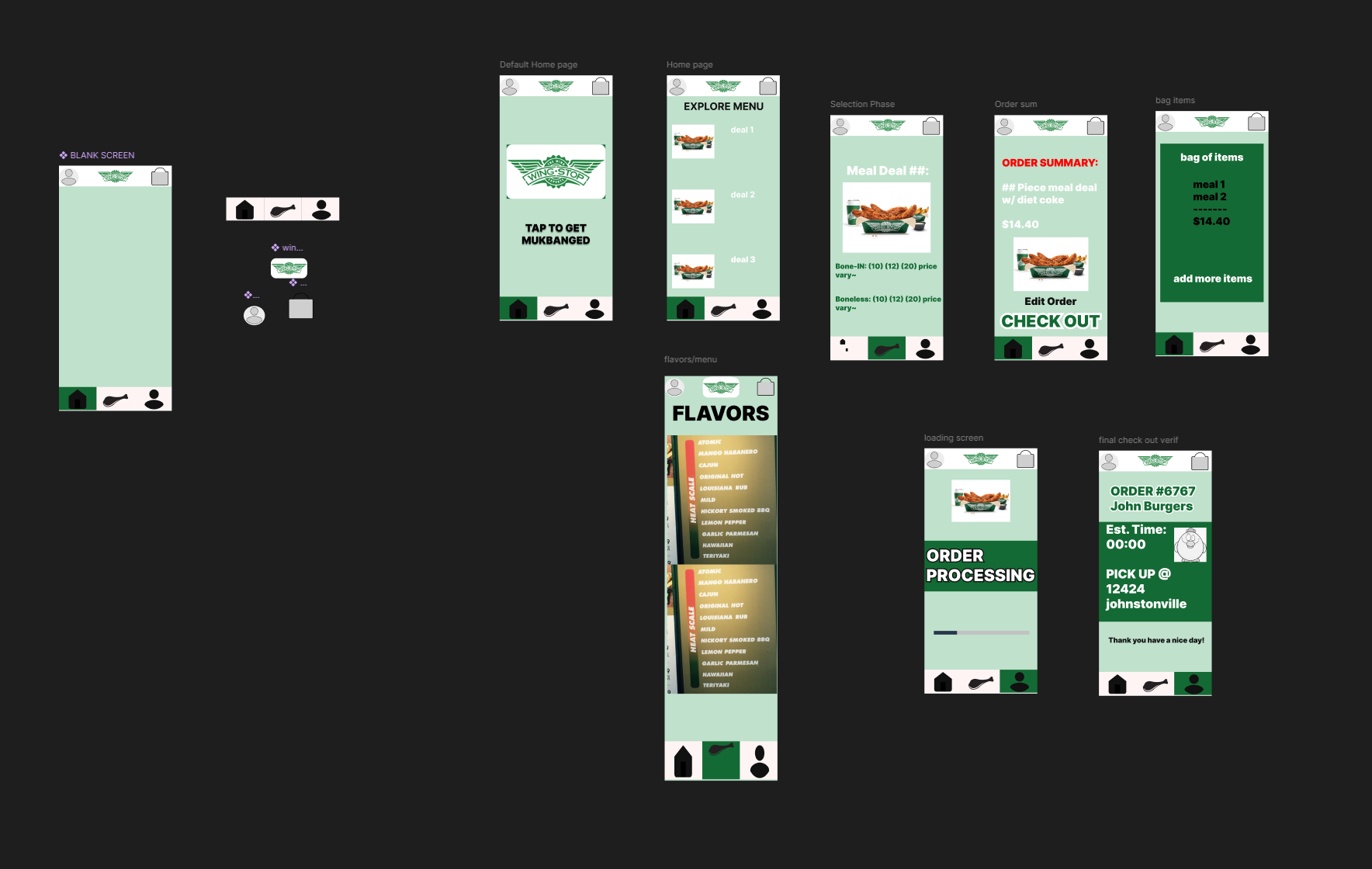
Using the real app surfaced four recurring friction points
I started by using the actual Wingstop app as a customer and logging where the experience broke down. Four issues kept coming up: there was no clear confirmation after adding an item to an order, which made it easy to lose track of what you'd already added; the flavor menu was a long, dull scroll that forced you to read every option line by line; the checkout flow had no shortcut for returning users who already knew what they wanted; and the pickup location sometimes defaulted to the wrong store without a clear way to catch the mistake.
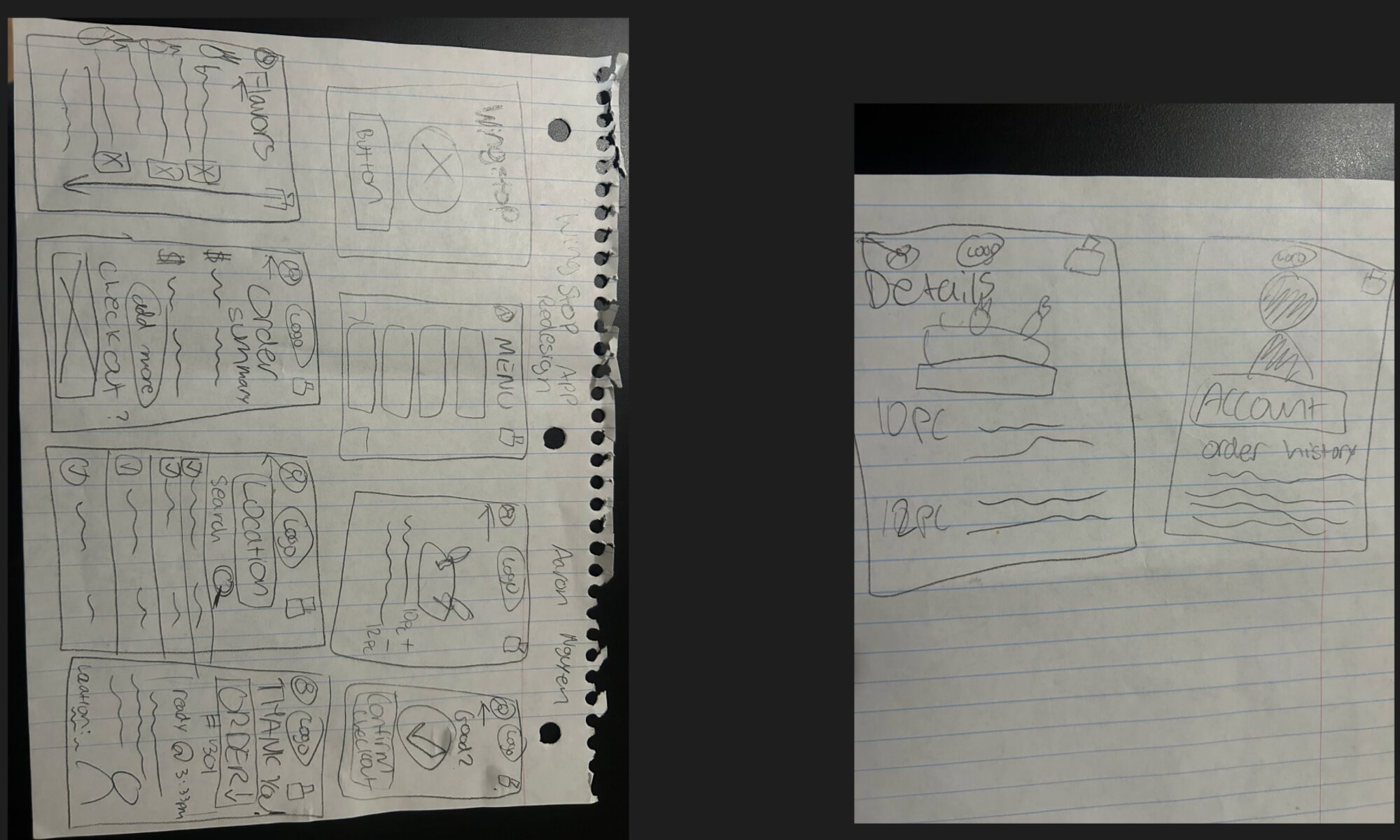
Working the flow out on paper first
Before opening Figma, I sketched the full flow by hand — flavor selection, order summary, the menu, location and search, item customization, and the order-confirmation and account screens. Working on paper first let me move fast through the whole flow end to end and settle on a screen count and navigation structure before spending time on any visual polish.
Redesigning for feedback and visual hierarchy
The redesign concentrated on three of those issues. For flavor selection, I added stronger visual feedback — highlighted states and clearer confirmation cues — so users could trust that their tap actually registered. For checkout, I strengthened the visual hierarchy: a larger, more prominent call-to-action button and a simplified layout so the next step is never in question. For the order summary, I redesigned it to update in real time as items are added, instead of requiring a trip to a separate screen to confirm what's in the order.
A five-minute usability test caught a real navigation gap
I had my partner, Jason, test the Figma prototype and think aloud while navigating it.
"When I tried to navigate back to the menu, I expected a clear back option, but instead I got stuck on the current screen."
— usability test, JasonThat single observation was enough to catch a real gap: there was no obvious way to back out of a screen once you were in it. The fix was straightforward — adding a clear, consistent back button so users can move freely between screens rather than getting stuck mid-flow.
Small, specific complaints make the best design briefs
This project reinforced how much a single vague-feeling complaint — "the app feels clunky here" — can be traced back to a concrete, fixable interaction problem once you sit down and use the product yourself. The location-selection issue I noticed early on didn't make it into this round of the redesign; it's a good candidate for a future iteration.
View the full interactive prototype on Figma →