Wellness Dog
A paper prototype for a digital wellbeing companion, sketched, storyboarded, and pitched in a single sitting as a timed take-home exercise.
A speed-run from blank page to testable idea
This one was a take-home quiz, not a normal project brief — the point was speed as much as the concept itself. In one sitting: brainstorm an idea, build a low-fidelity paper prototype, and write a short reflection on its usefulness and function. No revisions, no second drafts — whatever got made in the window was the submission.
Three ideas, three formats
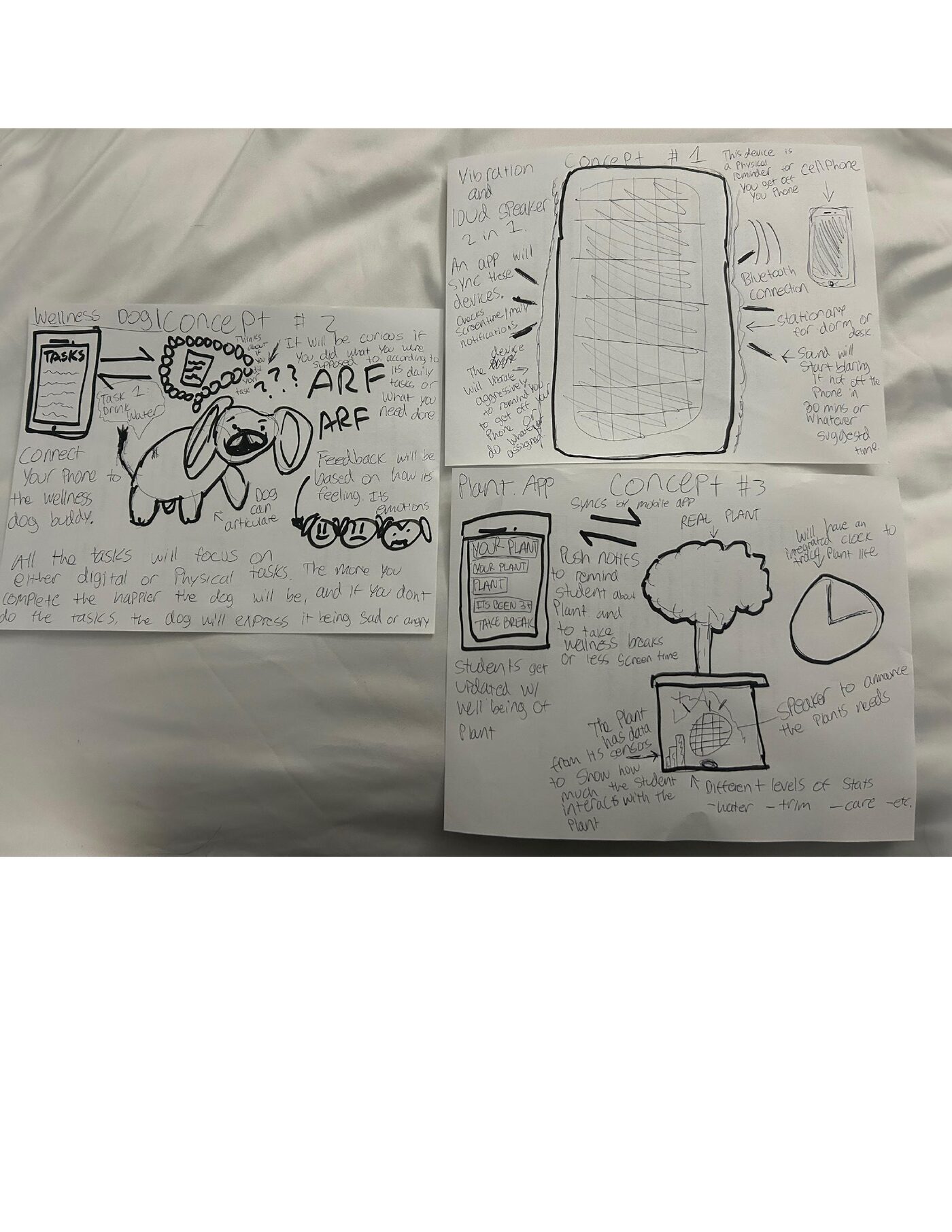
Before committing to one direction, I sketched three ways a "digital wellbeing" product could actually show up in a student's day, each testing a different balance of physical and digital: a vibration-and-speaker device that nudges you off your phone, a real plant wired to an app that reminds you to water it (and take a break while you're at it), and a wellness dog whose mood visibly reacts to whether you're getting your tasks done.
Why the dog won
All three concepts use an external object to make screen time visible, but the dog was the strongest of the three because a pet's mood is something people already read instinctively — no new mental model required, just an old one (a needy pet) applied to a new problem (screen habits). Complete a task and the dog wags, barks, and perks up; skip your tasks and it goes quiet, droopy, and sad. The feedback loop is emotional, not just numeric.
Inside the prototype
The companion app was built as loose paper screens and sticky notes — quick enough to rearrange live while walking someone through the flow. A task list drives the dog's mood directly; a focus-mode timer and a wellness-stats screen (breaks taken, screen time, activity time, rolled into one overall read) give the student a sense of how the day is going; a settings screen lets you name the dog and tune how strongly it reacts.
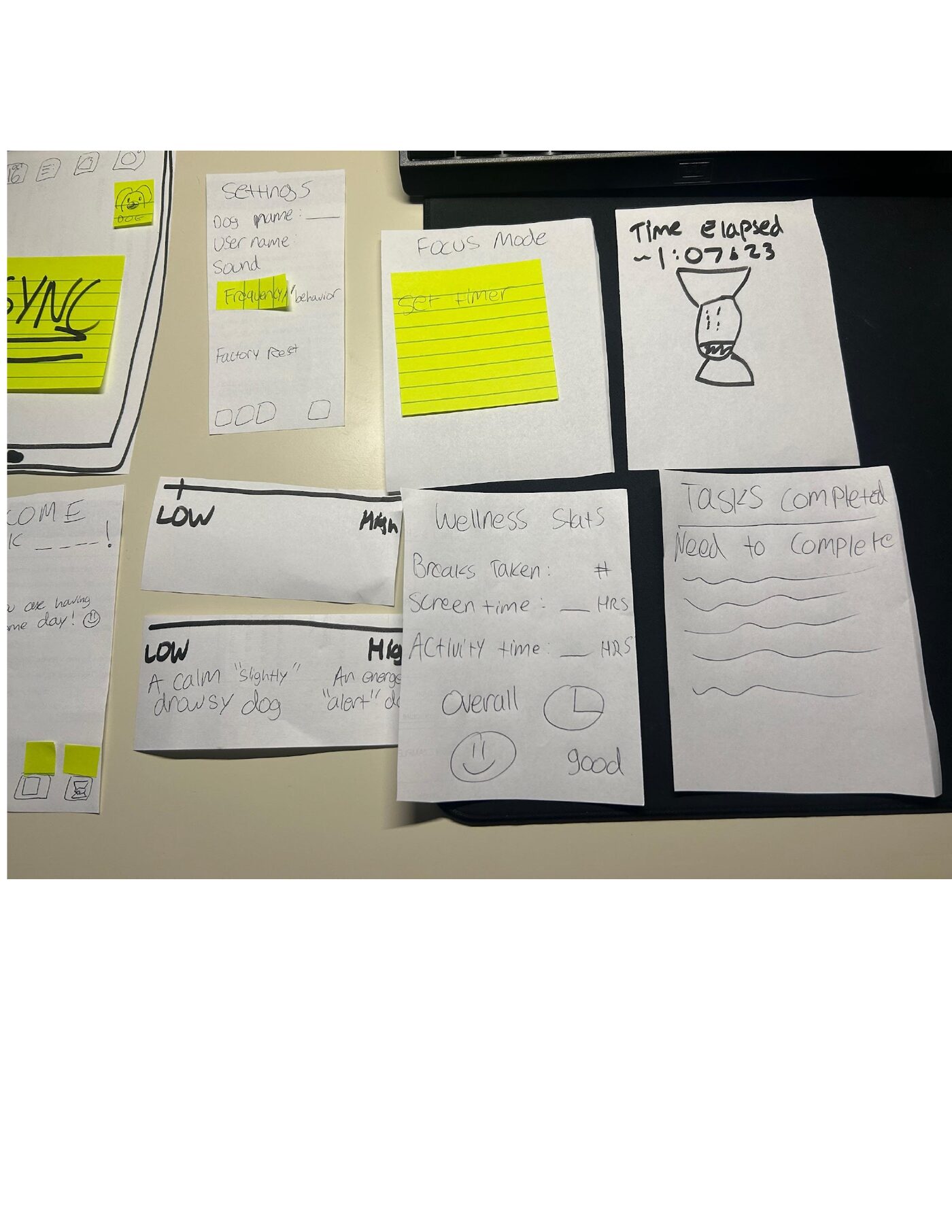
Even under a timer, a few fundamentals from class held the design together: simplicity (one task list, one mood indicator, nothing that needs a tutorial), consistency (the dog's expressions map to the same states everywhere — app, settings, physical toy), and reassuring feedback (every action gets an immediate, physical reaction instead of a silent checkmark).
An honest reflection
The wellness dog prototype is an interactive tool designed to support students in maintaining a healthy balance between their digital and physical well-being. The prototype combines physical and digital components: the wellness dog, which offers tangible feedback through actions like wagging its tail or changing posture, and a mobile app that tracks wellness stats, tasks, and progress. The app is simple and intuitive to navigate, allowing students to easily access and complete wellness-related tasks.
If I had more time and resources, I'd improve the prototype by adding more personalized elements, such as adaptive notifications or suggestions that tailor reminders based on a student's specific habits and progress — meaningful, context-sensitive feedback rather than the same reaction for everyone.